
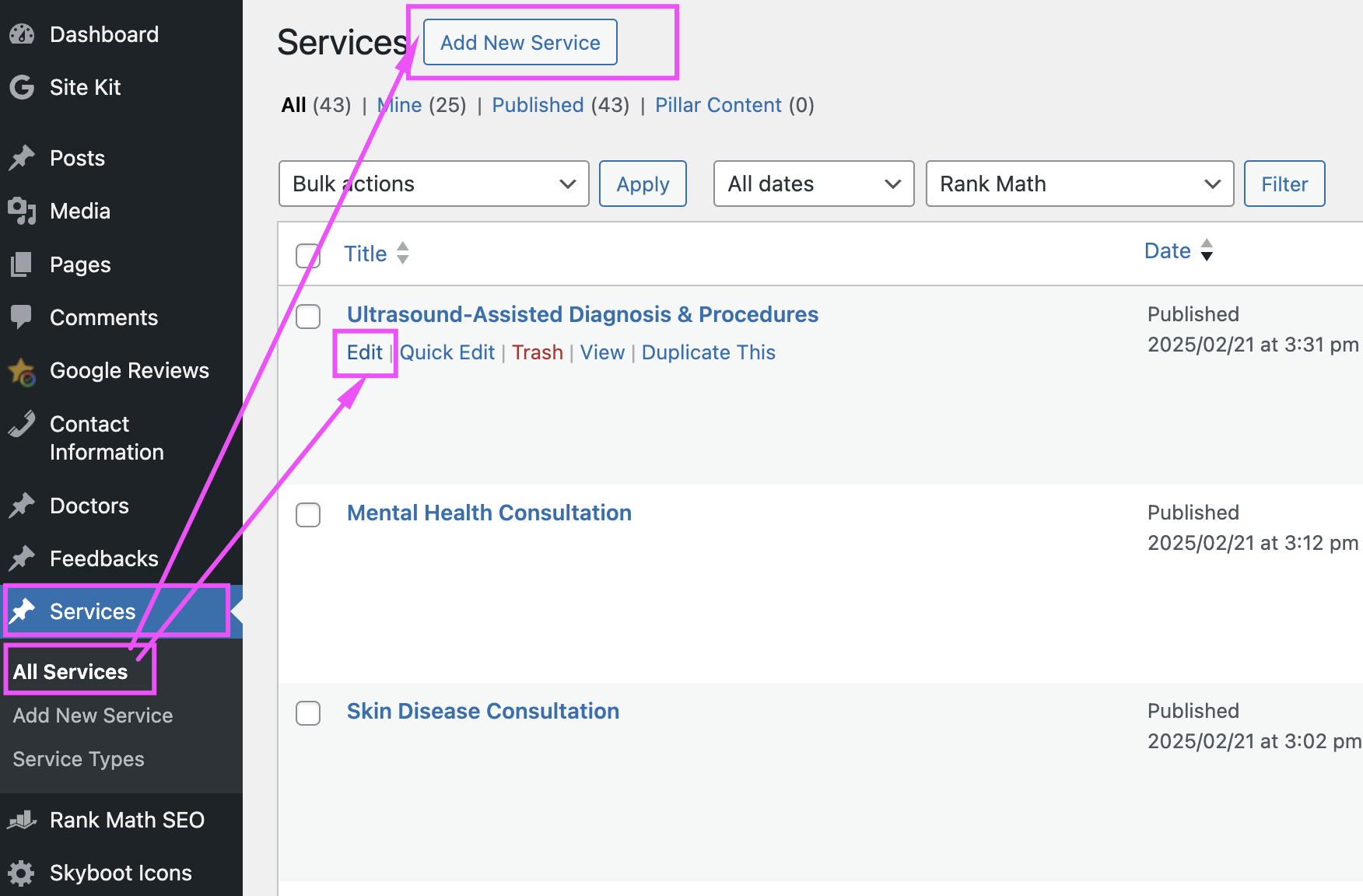
- Log in to your WordPress dashboard.
- From the left sidebar, hover over Services and click on All Services.
- Find the service you want to edit and click Edit below the service title.
- Update the following fields:
- Title: Edit the title at the top of the page.
- Main Content: Update the main content in the large text editor below the title.
- Short Description: Locate the short description field (usually in a separate box or custom field area) and update the text.
- Featured Image: To update the featured image, find the Featured Image box on the right sidebar and click Set Featured Image. Upload or select a new image from the media library.
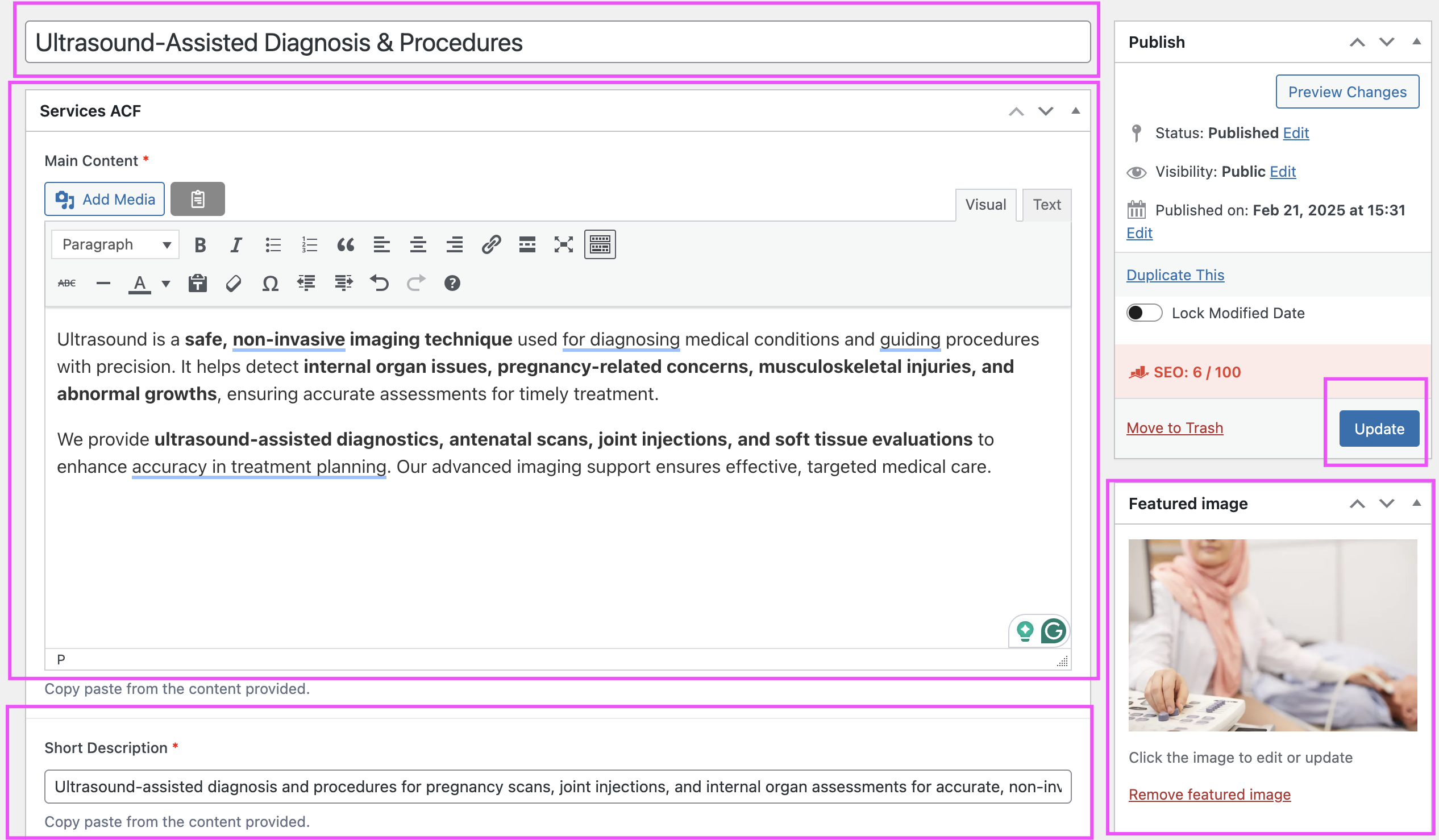
- Once the changes are made, click the Update button to save.
If you encounter any issues while editing the service, please email at support@lamanify.com.


