
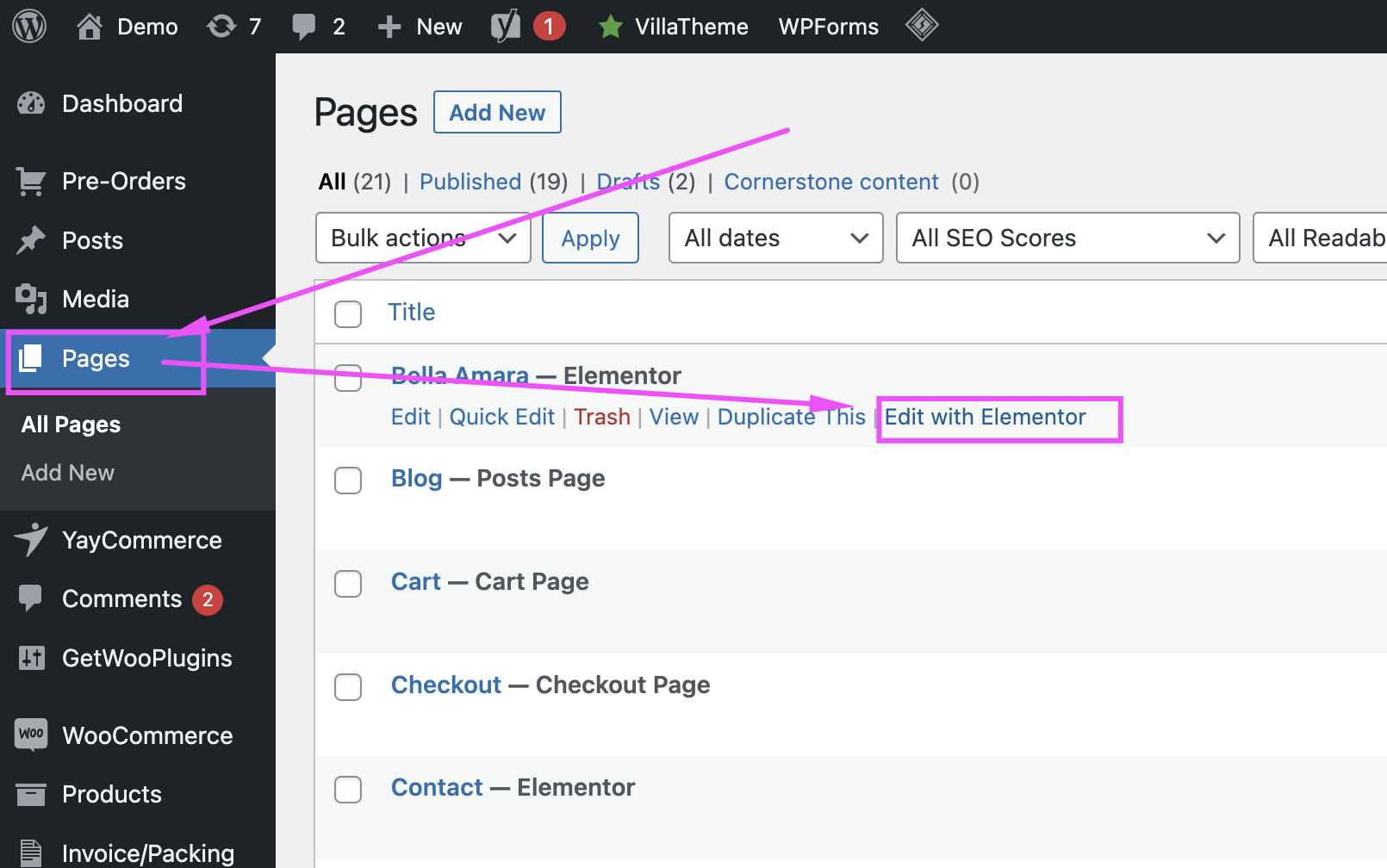
- Log in to your WordPress dashboard.
- Go to Pages > All Pages to find the page you want to edit.
- Hover over the page title and click Edit with Elementor.
- The Elementor editor will open. You can now make changes:
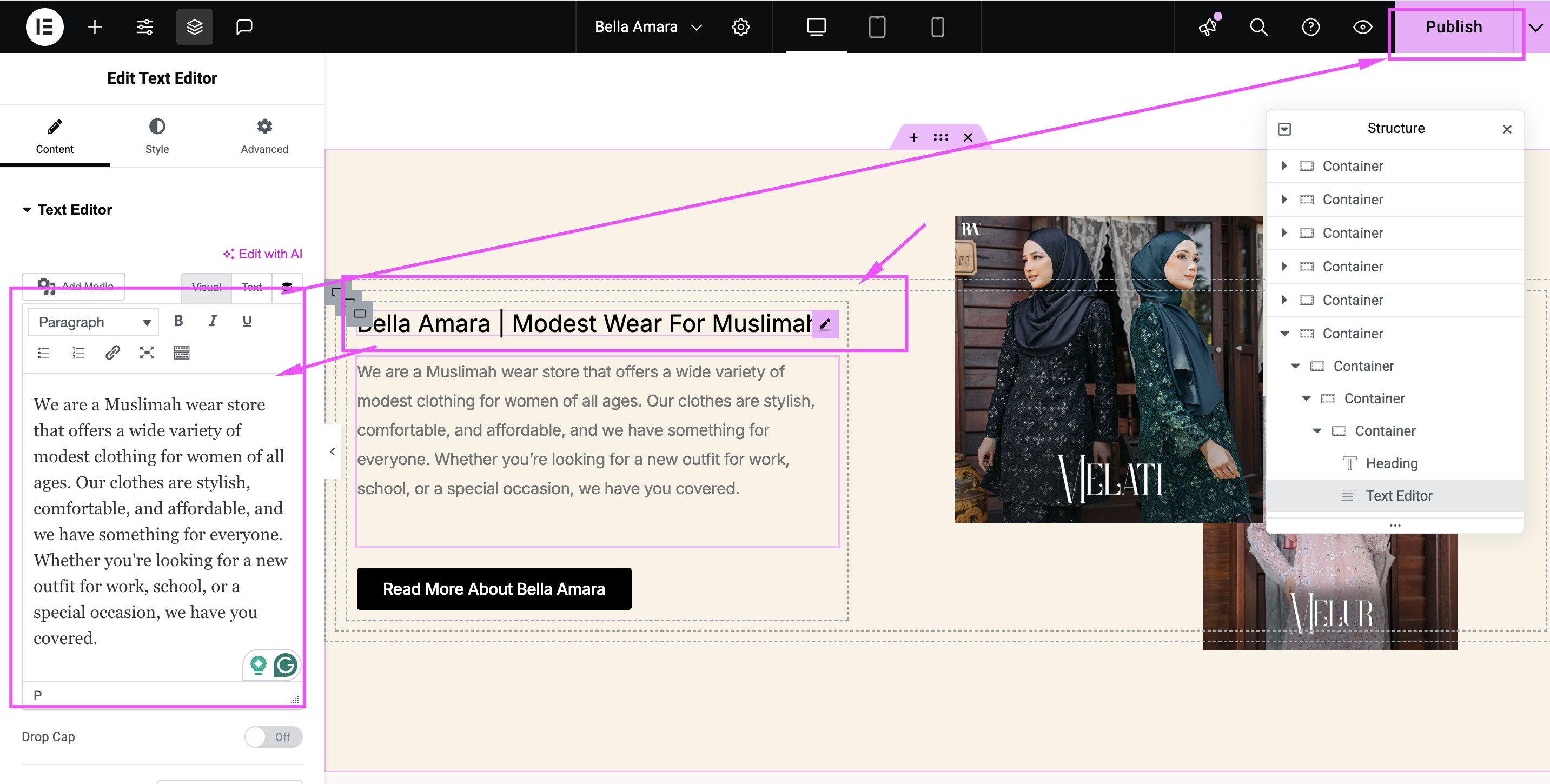
- To edit text, click on the text block and make changes directly in the text editor on the left.
- To change images, click on the image block, then upload a new image from the left panel.
- To add new sections or widgets, click the + icon and choose the desired element.
- Once you’re happy with the changes, click the Update/Publish button at the bottom/top to save.
If you need assistance with Elementor, please email at support@lamanify.com.


