
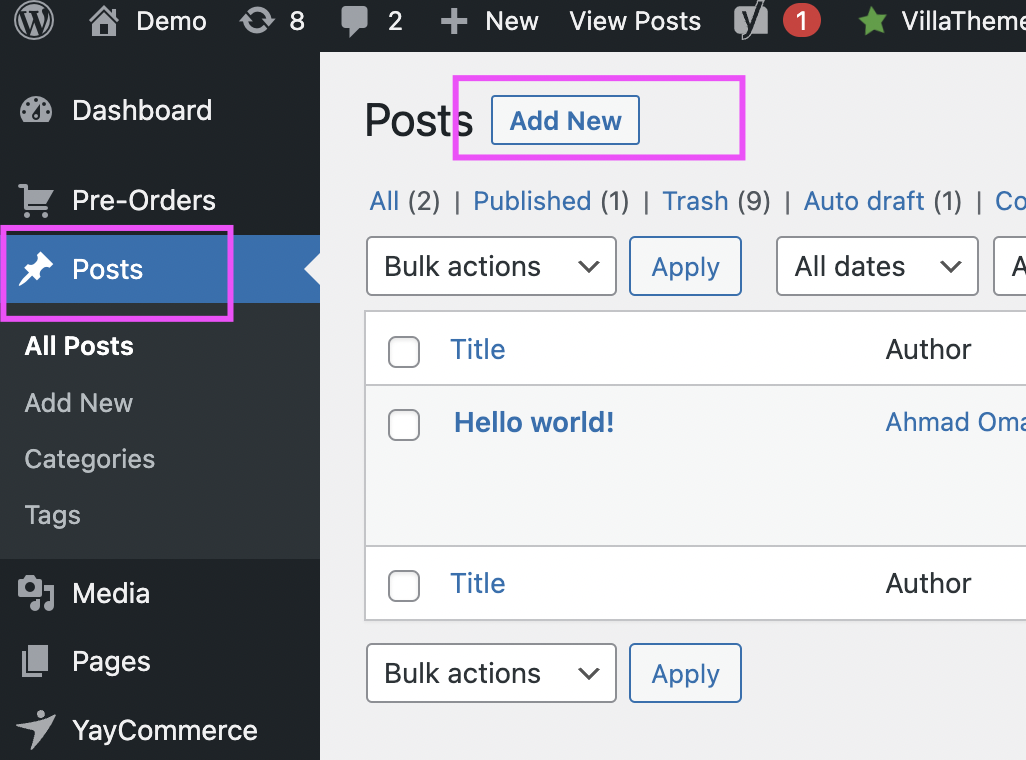
- Log in to your WordPress dashboard.
- From the left sidebar, hover over Posts and click on Add New.
- You will be redirected to the post editor page (the interface might be different, but it has the same function).
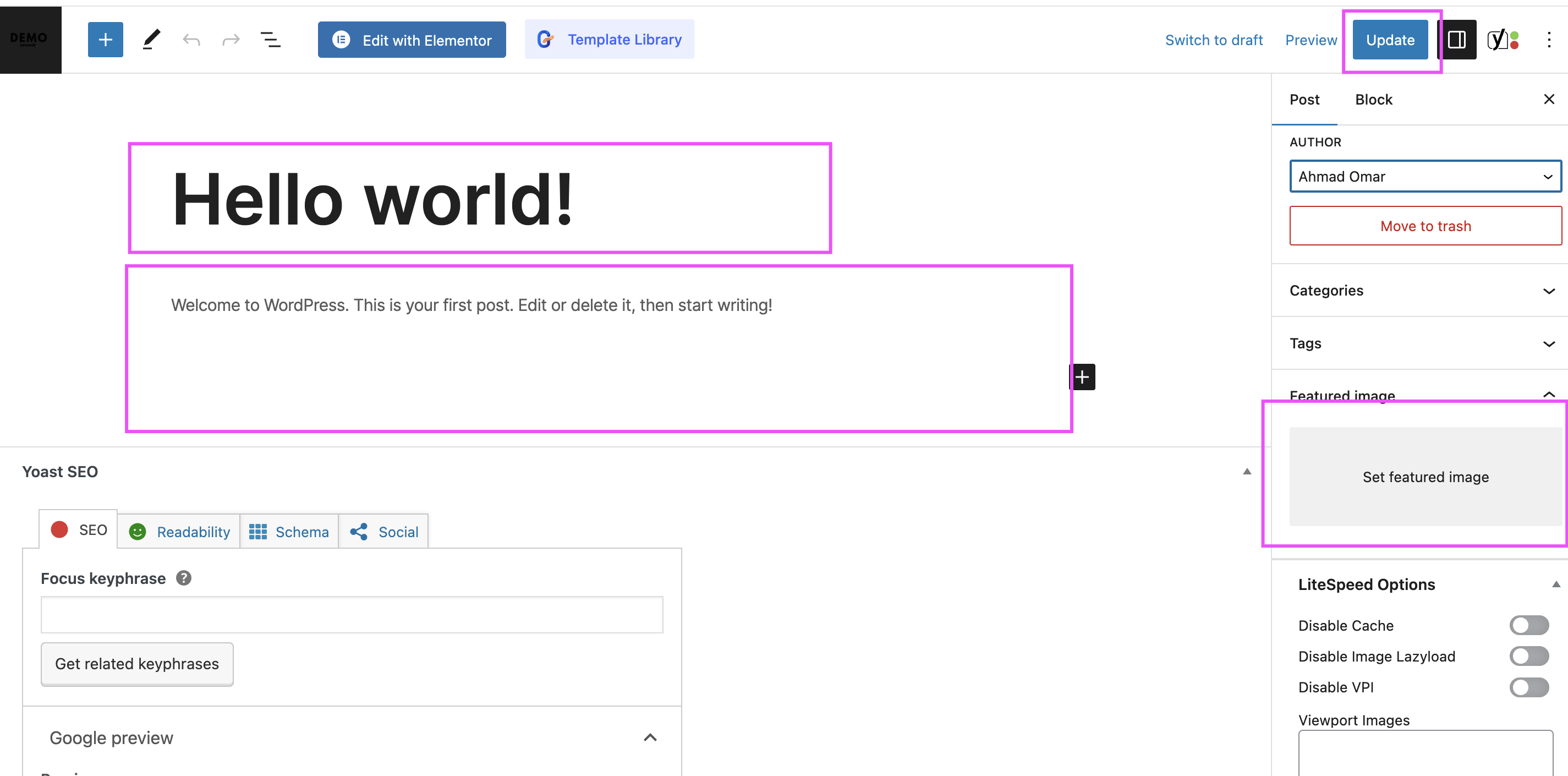
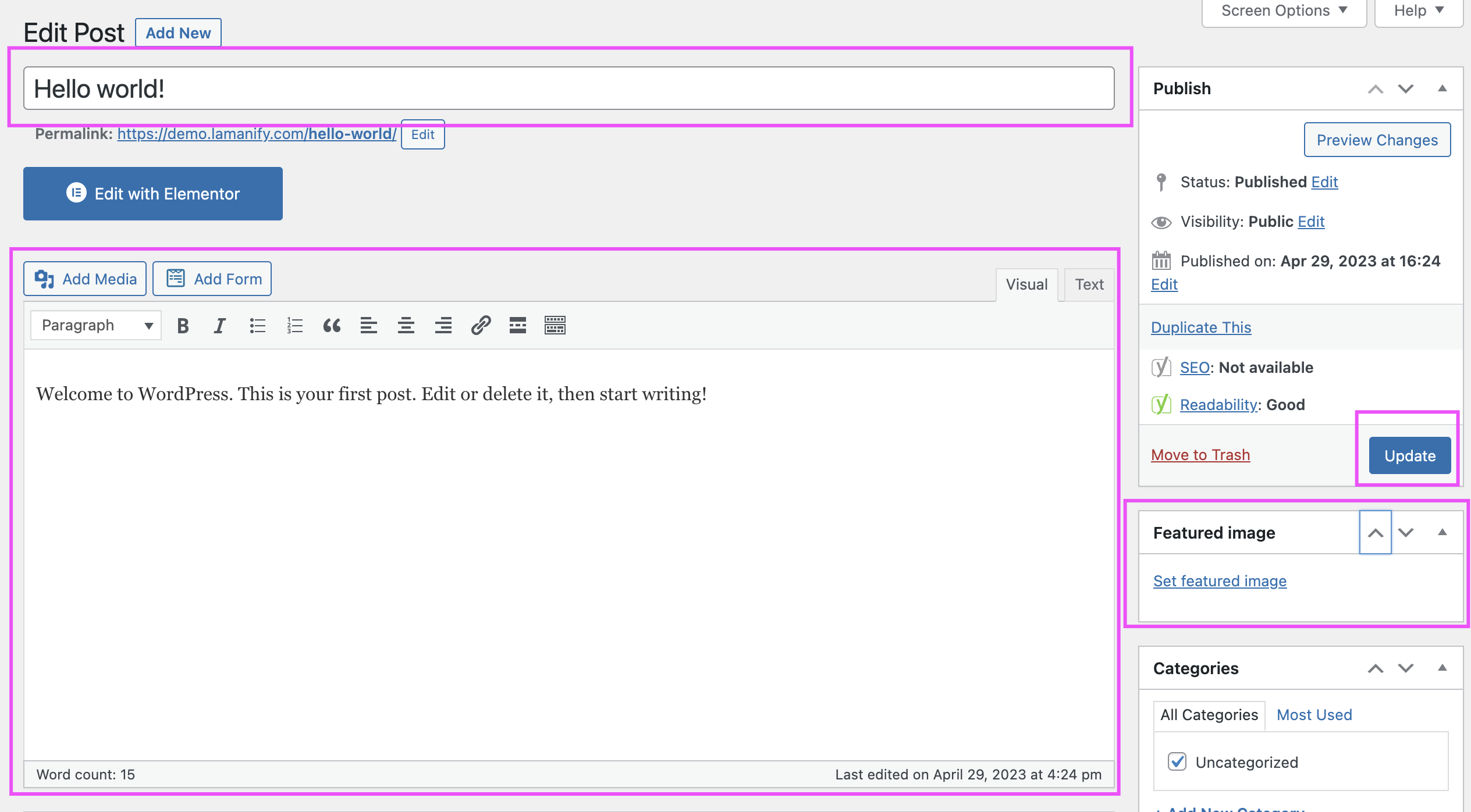
- Enter the Title of your post in the top text field.
- Write your content in the large text editor below the title.
- To add images or media, click the Add Media button above the content editor.
- To format your text, use the formatting options available (e.g., bold, italic, headings).
- Assign the post to a category by selecting from the Categories box on the right sidebar.
- Add relevant Tags for better searchability.
- Set a Featured Image by clicking on the “Set Featured Image” link on the right.
- Once done, click the Preview button to check how the post looks.
- If satisfied, click the Publish button to make your post live.
If you encounter any issues while creating a post, please email at support@lamanify.com.


