
Table of Contents
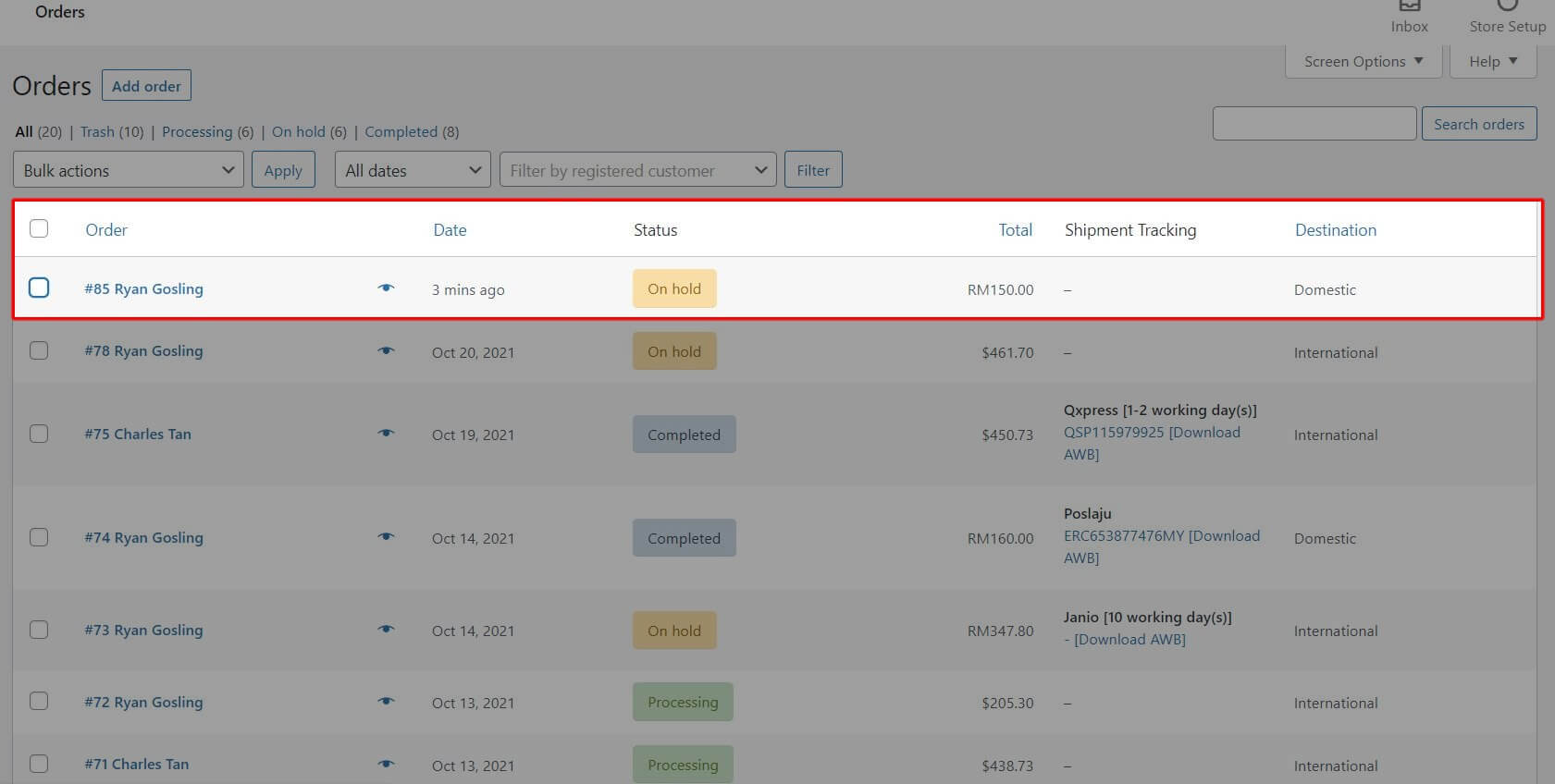
Step 1: Click on Order Details
- From the WooCommerce Orders page, select the order you want to fulfill
Step 2: Check Shipping Details & Click ‘Fulfill Order’
- Make sure the shipping information is correct
- Click the Fulfill Order button
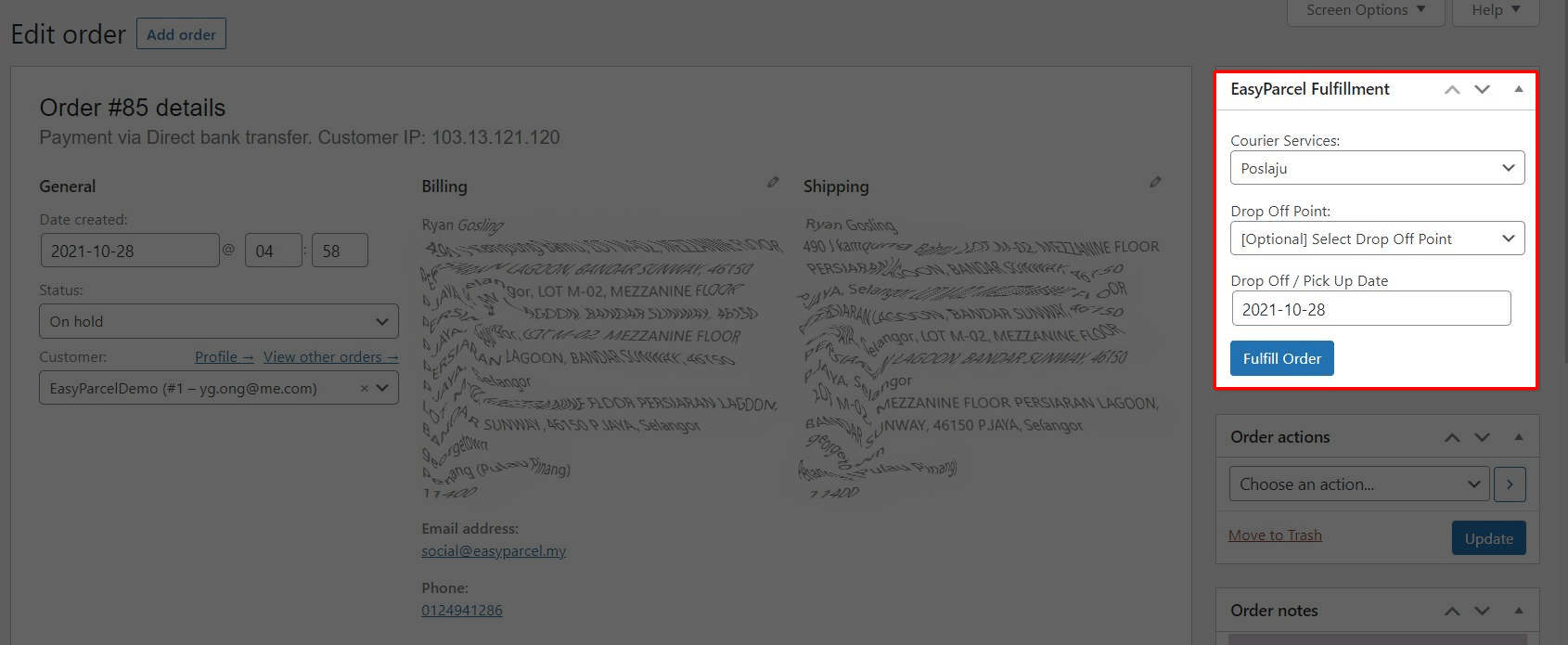
- EasyParcel will generate a shipment order based on the details provided
Step 3: Download the Shipment Air Waybill (AWB)
- Once the order is fulfilled, an Air Waybill (AWB) will be available
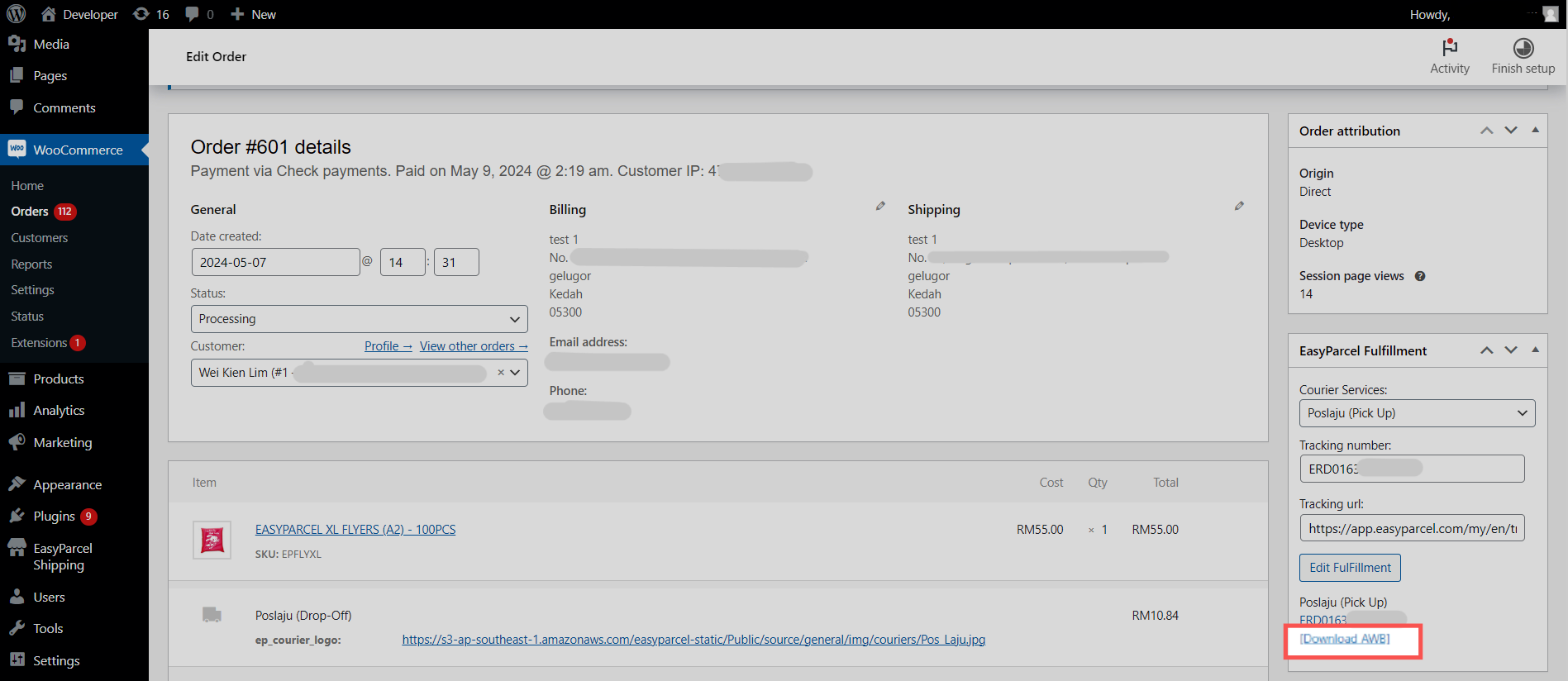
- Click Download AWB and print it to attach to your parcel
Important Tips #
- Always double-check shipping addresses before fulfillment
- Ensure your EasyParcel account is correctly connected in WooCommerce
- You can check EasyParcel shipment history for tracking or errors
- Remember to mark orders as Completed after the AWB is generated and package is shipped


